Access Granted
Free Preview
Mathematics & Logic • Practical #45 Interactive Simulation Available

Exploring Partial Orders and Hasse Diagrams

This lab manual is designed to guide you through the concepts and applications of Partial Orders (Posets) through visualization and analysis. You will investigate core properties, under...
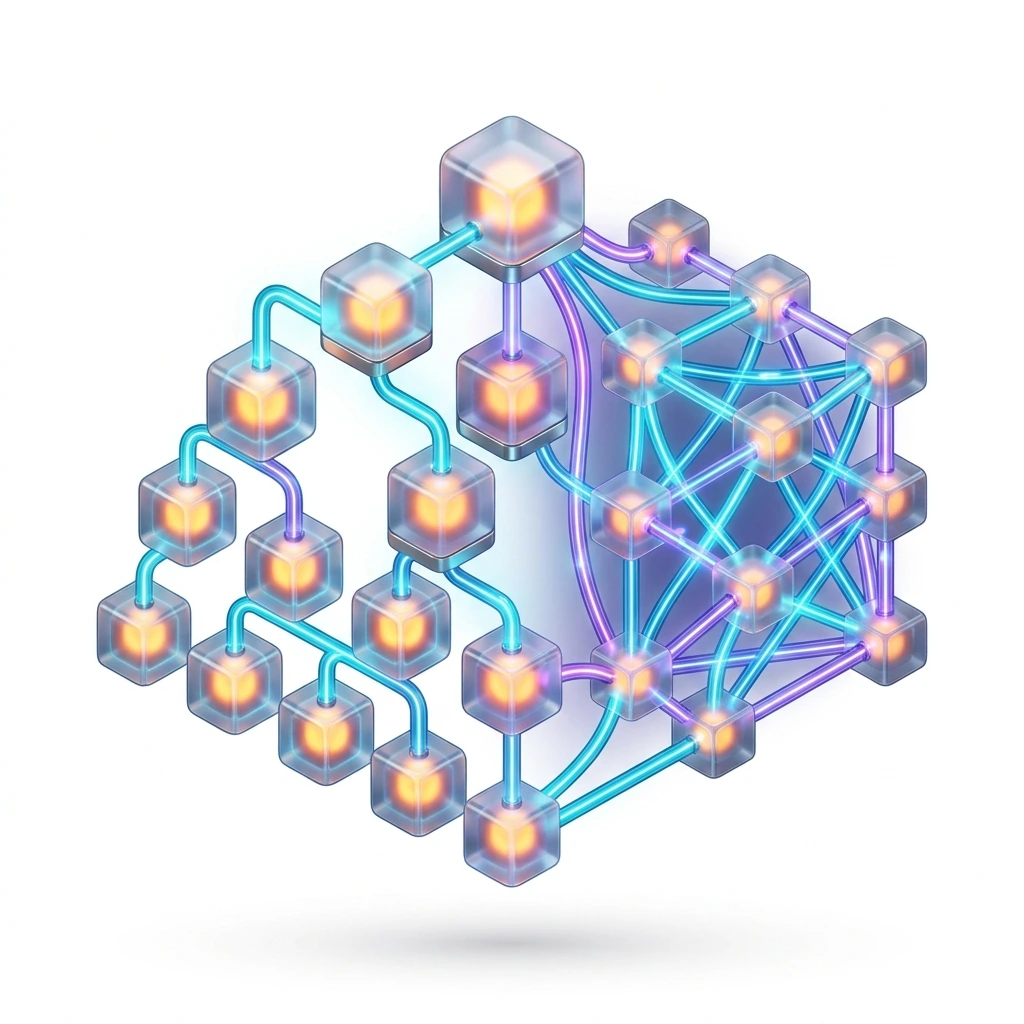
Mathematics Discrete Mathematics: Hasse Diagrams and Posets ID: 45
AI Topic: Data Structures & Algorithms
Exploring Partial Orders and Hasse Diagrams 3D Topic Apparatus
Computer Science & Engineering
Public Preview Mode Sign in to track progress pathway, generate AI quizzes, record completion, and access protected simulators.
ADVERTISEMENT
Experiment Progress Pathway
0%

This lab manual is designed to guide you through the concepts and applications of Partial Orders (Posets) through visualization and analysis. You will investigate core properties, understand structural elements, and calculate various bounds within a given set.

The objectives of this lab are as follows:

  • To understand the essential properties of Partial Orders: Reflexivity, Antisymmetry, and Transitivity.
  • To visualize the step-by-step transformation from a full directed graph (Digraph) to a simplified Hasse Diagram.
  • To calculate and identify structural properties including Maximal/Minimal elements, Greatest/Least elements, Height, and Width.
  • To utilize subset analysis to determine Upper Bounds, Lower Bounds, Least Upper Bound (LUB), and Greatest Lower Bound (GLB).

The formal definition of a partially ordered set (Poset) is given by:

$$\forall a, b, c \in S: (a \preceq a), (a \preceq b \land b \preceq a \implies a = b), (a \preceq b \land b \preceq c \implies a \preceq c)$$

The following materials are required for this lab:

  • Virtual Hasse Canvas: An interactive node-based graphing area.
  • Relation Engine: An input panel supporting divisibility, power sets, and custom lexicographic relations.
  • Poset Analyzer: An automated property calculator for lattice detection, bounds, and comparability.
  • Relation Matrix ($M_R$): A live binary matrix generator for representing relations.

The procedure for this lab is outlined in the following steps:

  1. Set Definition: Select a preset from the dropdown menu (e.g., "Divisors of 36" or "Power Set of {a,b,c}") or manually enter your own elements and relation pairs.
  2. Step-by-Step Visualization: Use the "Visualization Step" buttons to observe the graph's reduction:
  • (a) Full Digraph: Displays all relation arrows, including loops and transitive connections.
  • (b) No Loops: Eliminates reflexive self-loops.
  • (c) Hasse: Applies transitive reduction to remove redundant upward arrows, yielding the final Hasse diagram.
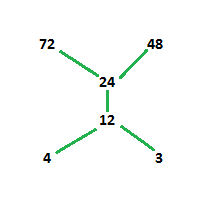
Property Inspection: Review the "Poset Analysis" panel. Note the identification of Maximal/Minimal elements and check whether the current poset qualifies as a Lattice (where every pair of elements has a unique LUB and GLB).Matrix Analysis: Scroll to the "Relation Matrix ($M_R$)" section to view the mathematical zero-one matrix representation of your defined relations.Bounds Calculation: In the "Bounds Calculator", enter a subset (e.g., 2, 3) to find its Upper Bounds and Lower Bounds. Identify the Supremum (Least Upper Bound) and Infimum (Greatest Lower Bound) for the specified subset.Comparability Check: Utilize the Compare Elements tool to test if two specific nodes are comparable ($a \preceq b$ or $b \preceq a$) or incomparable ($a \parallel b$).

AI Knowledge Evaluation

10 AI-generated multiple-choice questions tailored to this practical. Score 7/10 (70%) or higher to verify experiment completion.

Student Authentication Required
Please login to your account to generate the quiz, record marks, and earn completion credit.
Interactive Simulation Sandbox

Initializing secure sandbox environment & decrypting simulation...

ADVERTISEMENT
× ❮ ❯

Practical Report Issue

Reporting for: Exploring Partial Orders and Hasse Diagrams

Developer Inspection Restricted

Developer Tools and source inspection are restricted on this platform to protect intellectual property and proprietary virtual laboratory simulations.

Welcome to Community Chat!

📢 Community Chat is Now Live

Connect with fellow learners in real-time! You can ask questions, share experiences, collaborate on experiments, and learn together.

Real-time messaging
Group discussions
File sharing
Online/offline presence

⚠️ Important Guidelines

  • Be respectful and professional
  • No spam, harassment, or inappropriate content
  • Keep discussions educational and relevant
  • Violations may result in warnings or bans

Read Full Community Guidelines →

Chat messages are monitored by the Virtual Lab team to ensure a safe environment. By continuing, you agree to our community guidelines and acceptable use policy.