
Free Preview
Atom Builder: Star Fusion
All the elements in the universe, such as the carbon in your body and the oxygen you breathe, were created inside the cores of stars. This process is known as Nuclear Fusion. Within a s...
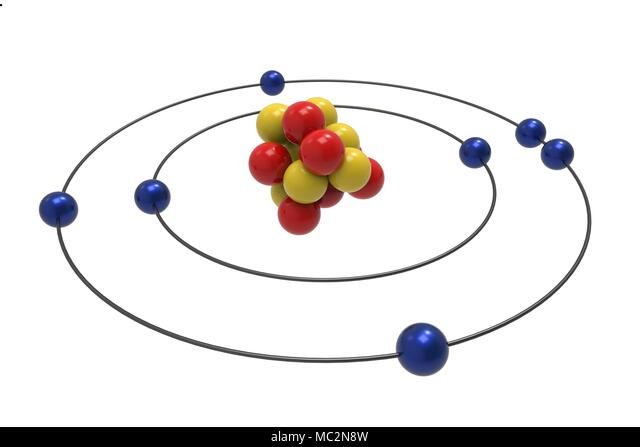
All the elements in the universe, such as the carbon in your body and the oxygen you breathe, were created inside the cores of stars. This process is known as Nuclear Fusion. Within a star, particles called protons and neutrons exist. Protons, which carry a positive electrical charge, naturally repel each other, akin to two magnets with the same pole facing. This resistance is referred to as the "Coulomb Barrier."
To overcome this barrier and combine the particles into a new atom, the star must reach incredibly high temperatures. The relationship between temperature and particle speed is crucial. When the core reaches temperatures of millions of degrees, the protons move so rapidly that they collide with one another before they can be repelled. Upon contact, the Strong Nuclear Force binds them together, releasing energy and forming a new, stable element.
The objectives of this experiment are as follows:
- To understand the relationship between temperature (heat) and particle velocity (speed).
- To overcome the electrical repulsion barrier between protons.
- To fuse loose protons and neutrons into a stable Nitrogen-14 nucleus.
Hardware: Computer, Laptop, or Tablet.
Software: Modern Web Browser (e.g., Chrome, Edge, Safari, or Firefox).
Internet Connection: Required to load the simulation.
Audio: Speakers or Headphones (recommended for voice guidance).
1. Launch the Simulation: Open the "Atom Builder" web page. You will see a 3D container with red protons and grey neutrons floating slowly.
2. Observe the Current State: Look at the "Mission Control" panel. Note that the current element is plasma and the temperature is low (15 MK – Million Kelvin). The particles are moving too slowly to fuse.
3. Check the Controls: Locate the "Initiate" button at the bottom. Note that it is currently locked. You cannot initiate fusion yet because the environment is too cold.
4. Increase Temperature: Locate the slider at the bottom labeled "Core Temperature." Slowly drag the slider to the right to raise the heat.
5. Observe Particle Behavior: As you move the slider, watch the particles in the center. Notice that as the temperature increases, the particles begin moving faster and colliding more violently with the walls.
6. Cross the Threshold: Continue to drag the slider until you exceed 85 MK (Million Kelvin). This is the critical temperature required to break the barrier.
7. Initiate Fusion: Once the temperature is sufficiently high, the button will change to blue and display the word "INITIATE." Click this button immediately.
8. Analyze the Result: Observe the animation. The particles will snap together in the center, producing a shockwave, and electrons will begin orbiting the new nucleus.
9. Final Verification: A success window will appear confirming that you have created Nitrogen-14. Read the summary to complete the experiment.
Initializing secure sandbox environment & decrypting simulation...